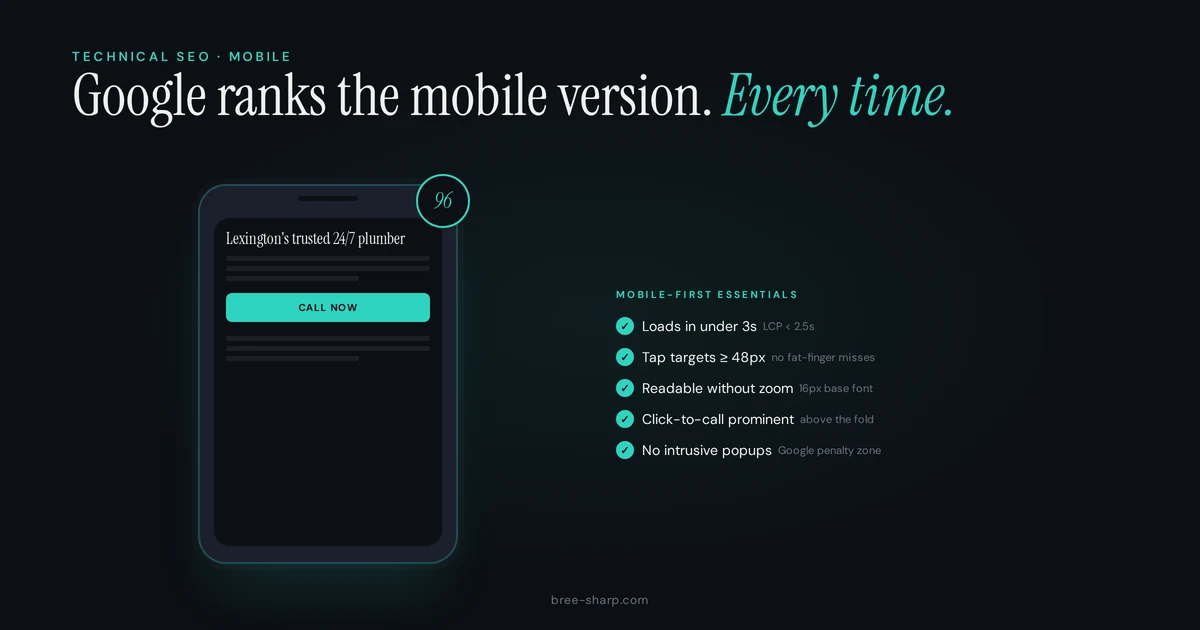
Open the site at a narrow 360 CSS pixel viewport, then use it on a real phone. Read a service page, open the navigation, tap the main action, and finish the form.
A desktop layout squeezed until it fits is not mobile design. Google also uses the mobile version of a page for indexing, so content and technical signals need to survive the smaller screen.
Five mobile SEO checks that still matter
1. Keep the mobile content and signals complete
Google recommends responsive design because it is usually the simplest mobile configuration to maintain. Separate mobile URLs and dynamic serving can work, but they add more places for content, metadata, structured data, canonicals, and crawl rules to disagree.
Keep the primary content, page title, meta description, image alt text, and structured data equivalent on mobile and desktop. Do not require a tap, swipe, or form interaction before loading content you expect Google to index.
Google's mobile-first indexing guidance covers the parity and crawling requirements. Read it before hiding half a service page because the mobile template feels crowded.
2. Make the layout responsive
Include a correct viewport meta tag. Let text and containers reflow. Avoid fixed-width elements that create horizontal scrolling. Keep navigation, forms, tables, images, and embedded tools inside the viewport.
Rotate a real phone between narrow and wide orientations. Then test several widths in Chrome DevTools. Emulation is useful for finding layout breaks, but it cannot reproduce every mobile browser, input method, network, or assistive technology.
A responsive page should preserve the task, not merely the colors. If the desktop header becomes a mobile menu, the phone number, booking link, and service navigation still need a usable home.
3. Measure current Core Web Vitals
Use PageSpeed Insights for field data when enough real-user data exists and Lighthouse diagnostics for a controlled lab run. The current Core Web Vitals are:
- Largest Contentful Paint (LCP): 2.5 seconds or less.
- Interaction to Next Paint (INP): 200 milliseconds or less.
- Cumulative Layout Shift (CLS): 0.1 or less.
Those "good" thresholds are evaluated at the 75th percentile, split between mobile and desktop. FID is no longer a Core Web Vital. Google's current definitions and thresholds live in the Web Vitals reference.
A good score does not guarantee a ranking or a sale. A poor result gives you a concrete performance problem to diagnose. Fix the measured bottleneck, whether that is the hero image, server response, font loading, JavaScript work, layout instability, or something else.
4. Give taps and text enough room
A 48 by 48 CSS pixel control is a practical target and will not fail Lighthouse's tap-target audit. That does not mean every target must be 48 pixels apart. WCAG 2.2 AA sets a 24 by 24 CSS pixel minimum or allows a spacing exception.
Use Chrome's tap-target guidance for the audit behavior and the WCAG target-size guidance for the accessibility requirement. Test closely packed text links, icon-only buttons, menus, cookie controls, and form fields.
Use readable relative units, enough line height, visible focus, and labels that do not disappear when the field has content. A 16 CSS pixel body size is a sensible starting point, not a universal law. The page should remain usable when text is enlarged.
5. Make the next step work on a phone
Use a tel: link for a phone action and a real link or button for booking and contact. Keep the label specific. "Call for emergency plumbing" tells the reader more than "Learn more."
Test the whole path, including validation, confirmation, inbox delivery, and analytics. Track phone actions separately from completed forms when the distinction matters. Do not invent a conversion split before you have the site's data.
Use the right tool for the question
- PageSpeed Insights: Field Core Web Vitals plus lab diagnostics when available.
- Lighthouse: A repeatable lab audit for performance, accessibility, and SEO checks.
- Chrome DevTools responsive mode: Layout and interaction checks across viewport sizes.
- Search Console URL Inspection: Crawl, index, canonical, and live-test details for a specific URL.
- A real phone: The task, keyboard, browser chrome, call link, and form experience a simulated viewport cannot fully reproduce.
Google retired the Mobile-Friendly Test and Mobile Usability report on December 1, 2023. That tool is no longer part of a current testing workflow. Google points site owners to other resources, including Lighthouse, in its retirement notice.
Hidden is not the same as unloaded
Collapsing a section with CSS does not automatically remove it from the document. Loading the content only after a user interaction is different. If the text is not present until somebody taps a control, a crawler may never receive it.
Inspect the rendered HTML and test the live URL. Check what happens with JavaScript errors, slow connections, and a keyboard. The mobile menu is often where contact information goes to play hide-and-seek.
Mobile SEO checklist
- Primary mobile content and metadata match the intended desktop page.
- The viewport is configured and no core task requires horizontal scrolling.
- LCP, INP, and CLS use current thresholds and real-user data where available.
- Tap targets meet size or spacing requirements.
- Text remains readable when enlarged.
- Navigation, phone, booking, and form actions work on a real phone.
- Important content does not depend on user interaction to load.
- URL Inspection reports the expected canonical and index state.
- Analytics events fire once for the actions you intend to measure.
FAQ
Will optimizing for mobile hurt my desktop rankings?
A well-built responsive page uses the same content and URL across screen sizes, so the work should support both. Do not remove useful desktop content from mobile or chase a perfect score as a ranking trick.
How do I test whether my website works on mobile?
Use PageSpeed Insights, Lighthouse, Chrome's responsive mode, Search Console URL Inspection, and at least one real phone. The retired Mobile-Friendly Test is no longer part of the workflow.
Do I need a separate mobile website?
Usually not. Google recommends responsive design because one URL and one content set are easier to maintain. Separate mobile URLs can work, but they require careful parity, redirects, canonicals, and ongoing testing.
Are Core Web Vitals ranking factors?
Google says Core Web Vitals are used by its ranking systems, but good scores do not guarantee top rankings. Treat them as user-experience measures and technical diagnostics, not a shortcut around relevance and useful content.