A service area is not a business location. That one distinction prevents a surprising amount of bad local schema.
I see the same mistake in site reviews: a business serves several cities, so each city page gets a new LocalBusiness object and a location the company does not actually operate. The code looks specific. The underlying claim is still wrong.
The broader plain-English schema guide covers JSON-LD, feature eligibility, and validation. This page focuses on the entity decision that matters for local businesses.
Start with the physical-location rule
Google's LocalBusiness rich-result documentation requires a physical business address. Use LocalBusiness for a real location tied to the business. Do not create an office address because a company serves that city, ranks there, or wants to rank there.
A service-area business may still have one legitimate base location. That real location can be the canonical LocalBusiness entity. The cities it serves belong on the service relationship, not in a collection of fictional offices.
Serving a city tells Google where the service is available. It does not prove that the business has an office there.
Organization, LocalBusiness, and Service do different jobs
Organization describes the company or brand. It is the stable business identity that can connect the website, logo, contact details, and public profiles.
LocalBusiness is a subtype of Organization for a real business location. Use the most specific accurate subtype when one exists, such as Plumber or Restaurant. Keep one canonical identity for each real location instead of minting a new one on every city page.
Service describes what the company provides. A service page can point to the canonical business as its provider and use areaServed for the city, county, or region where that service is available.
A company can legitimately have connected Organization, LocalBusiness, and Service entities. Reusing stable @id values makes those relationships clearer. The problem is not having more than one type. The problem is publishing conflicting or invented facts.
Put the served place on the service
For a city service page, describe the service, reference the real provider, and name the served place in Service.areaServed. The visible page should also explain what the company does there. A city name in JSON-LD cannot rescue a generic page.
Keep the business name, telephone number, address, and canonical entity IDs consistent with the real business. Schema can clarify those facts. It cannot create a Google Business Profile, verify a location, or guarantee a local-pack result.
A LocalBusiness example with a real location
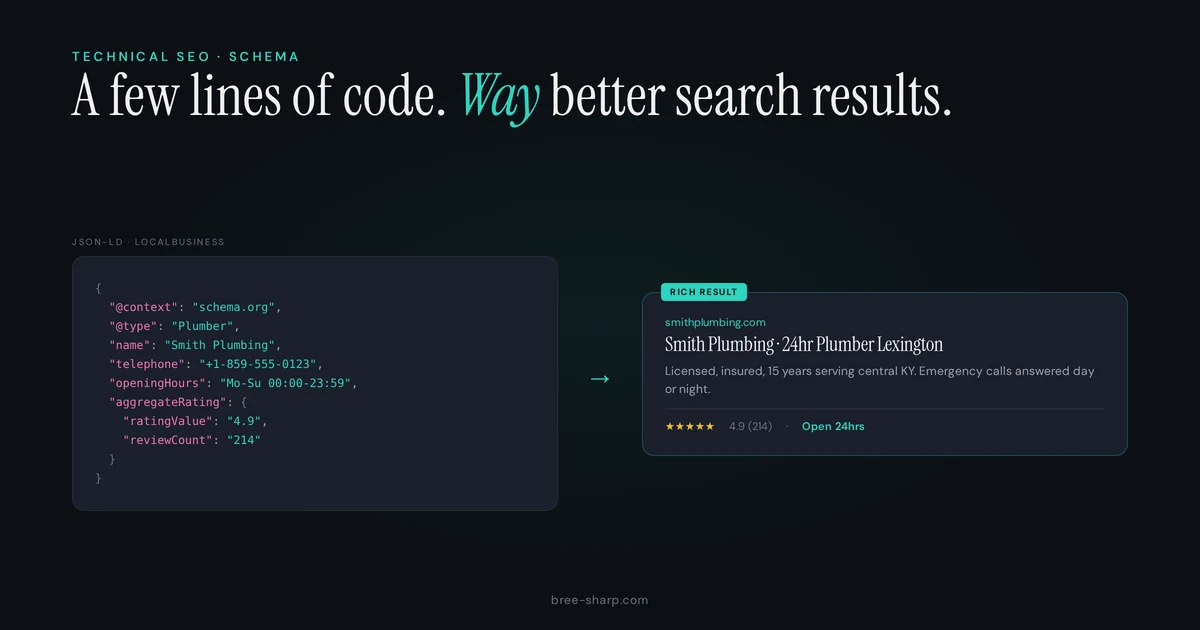
This illustrative JSON-LD describes a fictional plumbing company with a staffed Lexington address. The business details are examples, not client facts. It omits AggregateRating because a business should not add its own rating to LocalBusiness markup in hopes of earning a Google review snippet.
{
  "@context": "https://schema.org",
  "@type": "Plumber",
  "name": "Acme Plumbing Services",
  "url": "https://acmeplumbing.com",
  "telephone": "+1-555-867-5309",
  "address": {
    "@type": "PostalAddress",
    "streetAddress": "123 Main Street",
    "addressLocality": "Lexington",
    "addressRegion": "KY",
    "postalCode": "40502",
    "addressCountry": "US"
  },
  "geo": {
    "@type": "GeoCoordinates",
    "latitude": 38.0406,
    "longitude": -84.5037
  },
  "openingHoursSpecification": [
    {
      "@type": "OpeningHoursSpecification",
      "dayOfWeek": ["Monday","Tuesday","Wednesday","Thursday","Friday"],
      "opens": "07:00",
      "closes": "18:00"
    },
    {
      "@type": "OpeningHoursSpecification",
      "dayOfWeek": "Saturday",
      "opens": "08:00",
      "closes": "14:00"
    }
  ],
  "priceRange": "$$",
  "areaServed": [
    {"@type": "City", "name": "Lexington"},
    {"@type": "City", "name": "Richmond"},
    {"@type": "City", "name": "Georgetown"}
  ]
}
The example uses the specific Plumber subtype and keeps its address, coordinates, hours, and broad service area together. Schema.org also permits areaServed on an Organization. For a dedicated city service page, use a Service entity with the canonical business as its provider and put that page's market in Service.areaServed. Before adapting the example, remove any property that the visible page does not support and check Google's current LocalBusiness requirements.
Do not mark up your own business rating for a Google review snippet
Google calls reviews about the business that publishes them self-serving. Its review-snippet documentation only recommends LocalBusiness or Organization ratings for sites that capture reviews about other businesses.
A real Google Business Profile rating does not become eligible just because the number is genuine. Do not copy that rating into AggregateRating on the business's own LocalBusiness or Organization object in hopes of earning stars. On-site testimonials can still be useful visible content, but they do not override the self-serving-review rule.
How to Check If Your Schema Markup Is Working
Read the page first. Confirm that every marked-up business fact is visible, current, and true.
Inspect the vocabulary. Use the Schema.org validator to see the entities and properties on the page.
Test Google-supported features. The Rich Results Test reports supported items Google can detect and any critical issues it finds. A valid result is eligible, not guaranteed to display.
Check the indexed page. URL Inspection shows what Google knows about a specific URL. Search Console rich-result reports show samples of supported structured-data items, not every schema object and not proof that a special result appeared.
Common Schema Mistakes
- Invented locations: A city page creates an office or address the business does not operate.
- New entity on every page: Each route mints another LocalBusiness instead of referencing the canonical business.
- Self-serving ratings: The business copies its own rating into LocalBusiness or Organization markup.
- Hidden facts: The JSON-LD includes hours, services, questions, or claims that readers cannot find on the page.
- Conflicting sources: A theme, plugin, and custom block publish different names, addresses, or URLs.
Update the visible page and its structured data together whenever a real fact changes.
What to Do Next
Inventory what the site already publishes before adding another plugin or code block. Confirm the canonical business entities and map each service to the places it genuinely serves. Remove any fact the visible page cannot support.
0-Tech Schema can help inventory a page and draft JSON-LD. Review the result against the visible page and Google's current documentation before publishing it.
A $500 SEO Health Check includes a written report within 48 hours and a 30-minute walkthrough after delivery.
FAQ
Does schema markup directly improve my search rankings?
No general ranking boost is promised. Correct markup can make an eligible page understandable for a supported Google feature, but Google still decides whether to show that feature.
Should I add schema myself or hire a developer?
Start by checking what the site already emits. A platform field or plugin may cover a simple entity. A developer is useful when templates conflict, several entities must be connected, or the implementation needs data the platform cannot model safely.
How do I know if my schema markup is working?
Confirm that the facts are visible, the JSON-LD parses, the entity is correct, and Google's rules for the intended feature are met. Rich Results Test and URL Inspection help with supported Google features. Neither guarantees display.
Can a service-area business use LocalBusiness?
Yes, when it has a real business location represented by that entity. Serving additional cities does not create additional locations. Put those markets on the relevant Service with areaServed.
Can I mark up my Google Business Profile reviews?
Do not add your own business rating to LocalBusiness or Organization markup to seek a Google review snippet. Google's documentation treats that as self-serving review markup.