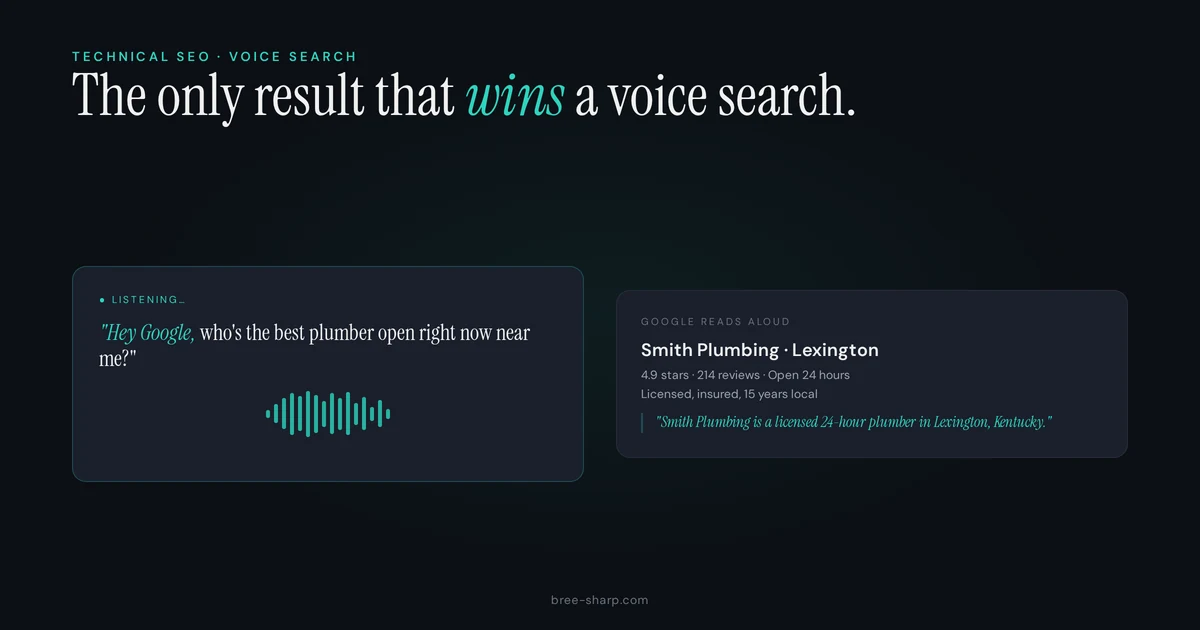
"Hey Google, find a plumber near me." "Alexa, how late is the dentist open?" "Siri, where's the nearest urgent care?"
These are real queries from real people. And they're high-intent. The person asking is ready to call, ready to visit, ready to spend money. They're not browsing. They're not comparing options. They've committed to the action—they just need the location.
Voice search is becoming the fastest-growing search method. More people have smart speakers and voice assistants every year. And local businesses need to show up when someone asks for help.
How Voice Assistants Choose Their Answers
Here's the crucial thing to understand: voice assistants return one answer. Not five. Not a list. One.
Google gives you a page of results to choose from. Alexa gives you one business. This changes everything about how voice search works.
Voice assistants pull answers from three primary sources:
Google Business Profile (Most Important)
If you're searching on Google Assistant, the top result almost always comes from Google Business Profile. Name, address, phone number, hours, website. It's the single most important place to get right.
Featured Snippets (~40%)
Featured snippets are the boxes that appear at the top of Google search results—the ones that answer questions directly. "How long does a dental cleaning take?" or "What's the price for a roof inspection?" When someone asks these questions by voice, Google reads from the featured snippet.
If your website doesn't have featured snippet-optimized content, you're missing voice search visibility.
Structured Data and Schema
This is where schema markup becomes critical. Schema tells Google (and other assistants) what information you have in machine-readable format. Hours, phone number, services, reviews, FAQ answers. Without it, assistants have to guess.
Curious what schema your site already has?
Run any URL through the free audit tool. You'll get a plain-English report on what's there, what's missing, and the exact JSON-LD code to close the gaps.
Five Things That Help Your Business Show Up in Voice Results
1. Complete Your Google Business Profile — Every Field
This is non-negotiable. Every. Single. Field. Name, address, phone number, hours (including holidays), website, services, photos, description, payment methods. Leave a field blank and voice assistants see incomplete information.
For local service businesses like plumbing or cleaning, check the "Service Area" section carefully. Tell Google exactly where you serve. If you're a Kentucky service business that travels to multiple counties, enter all of them. Voice searches like "plumber in Breathitt County" won't find you if you haven't claimed that service area. (Real example: a Kentucky home services client where geo-targeted landing pages and LocalBusiness schema spanned three counties.)
Read how to get more customers as a plumbing business for a full breakdown of Google Business Profile optimization.
2. Answer Questions on Your Website
Voice queries are conversational and question-based. "How much does a dental cleaning cost?" "When can I get an appointment?" "Do you offer emergency services?" These are the voice queries people ask.
Your website should answer them. Create FAQ sections on your main pages. Write blog posts that answer common questions your customers ask. The more question-and-answer content you have, the more likely you'll show up in voice results.
And here's the key: answer the question in the first sentence. Don't make people scroll to find the answer. Voice assistants are looking for quick, direct answers.
Learn how to write SEO blog posts for small businesses that answer customer questions directly.
3. Write the Way People Talk
Voice queries are conversational. People don't type "emergency dental services weekend hours." They say "Can I see a dentist this weekend if my tooth hurts?"
Your content should match the way people talk. Short sentences. Natural language. Question phrases instead of keyword phrases. If your website reads like a formal business document, it won't match voice queries.
This is especially true for FAQ sections and blog content. Write like you're answering a customer's question in person, not like you're writing a marketing brochure.
4. Add FAQPage Schema to Your Key Pages
This is the technical piece that makes voice search possible. FAQPage schema tells Google that you have questions and answers on your page, formatted in a structured way.
Most pages benefit from FAQ schema: your homepage, service pages, about page. If you've written frequently asked questions, mark them up with FAQPage schema. Learn what schema markup is and how to add it.
Without the schema, Google still sees your Q&A content, but it has to guess what's a question and what's an answer. With schema, you're being explicit. You're saying "this is a question, this is the answer." Search engines and voice assistants love that clarity.
5. Make Sure Your Site Is Fast and Mobile-Friendly
Most voice searches happen on phones. If your site is slow or doesn't work on mobile, you're out of the running.
Every optimization we talked about in mobile SEO best practices applies here. Speed, responsive design, readable content, clickable phone numbers. It all matters.
Voice Search in the Age of AI
In 2026, voice search is part of a larger shift toward conversational AI. ChatGPT, Google AI Mode, voice assistants—they all work differently, but they all need the same foundation:
- Structured data: Schema markup tells AI what you do.
- Quality content: Conversational, question-answering content ranks and gets recommended.
- Verified business information: Complete Google Business Profile, accurate hours, real phone number.
Optimize for one and you're optimizing for all three. The same FAQ page that shows up in voice search results can show up in AI chat results. The same Google Business Profile that powers Google Assistant also appears in Google's AI Mode. The same fast, mobile-friendly site that works for voice works for all of them.
Voice search is no longer a "nice to have." It's a core part of how people find local businesses. And the good news: optimizing for voice makes your entire SEO better.
FAQ
Is Google Assistant different from Siri and Alexa?
The mechanics are slightly different, but the optimization is the same. Google Assistant uses Google's index and heavily favors Google Business Profile data. Siri and Alexa use different sources, but they all rely on complete business information, schema markup, and quality content. Optimize for all three by covering the fundamentals.
How do I track voice search traffic on my website?
Voice search traffic is hard to track perfectly because many voice queries go directly to a phone call or physical visit without hitting your website. But you can estimate it by tracking calls from voice-enabled devices and watching for drops in branded search queries (people aren't typing your name, they're asking for you by voice). Your analytics won't show every voice search hit, but you can see the effect.
Is voice search optimization worth the effort for a small business?
Yes, absolutely. Voice search is highest-intent traffic. Someone asking "find a plumber near me" is ready to book. They're not browsing—they're buying. Even if only 5-10% of your search traffic comes from voice, those conversions are gold. And the optimization work (complete Google Business Profile, FAQ pages, readable content, structured data) makes your entire SEO better.
The Path Forward
Voice search won't replace traditional search. But it will continue to grow. More smart speakers in homes. More voice assistants in phones. More people asking instead of typing.
The businesses that show up in voice results now will have an advantage. They'll get calls from high-intent customers. They'll be the default answer when someone asks for help.
Start with the fundamentals. Complete your Google Business Profile. Add FAQ schema to your key pages. Make your content conversational. Make your site fast and mobile-friendly.
That's not just voice search optimization. That's good SEO.